
AI Marketing Automation for Small Business: A Practical 2026 Guide
A five-person shop can now run email, social, and lead follow-up like a team three times its size — that is the promise behind AI marketing automation. In plain terms, it means using artificial intelligence to run and optimize marketing workflows — email, segmentation, lead nurturing, social posting, and chat — without adding headcount, according to HubSpot’s State of Marketing research.
Small businesses stand to gain the most, precisely because they carry more manual, repetitive work per employee than larger teams with dedicated staff for each channel. Marketing automation delivers an average ROI of $5.44 for every $1 spent, a widely cited Nucleus Research benchmark, and marketers using AI and automation report getting roughly 13 hours a week back, according to a 2025 ActiveCampaign/Talker Research survey.

What Is AI Marketing Automation for Small Business?
AI marketing automation for small business means letting software make and execute marketing decisions — not just follow a fixed schedule. It sits on top of a CRM and email marketing automation tools, using customer data to decide who gets contacted, what they see, and when. Eighty-eight percent of organizations now use AI in at least one business function, up from 78% a year earlier, according to McKinsey’s State of AI survey, and marketing is consistently one of the first places small teams apply it.
From rule-based automation to AI-driven workflows
Classic marketing automation runs on «if this, then that» rules: if a visitor abandons a cart, send email B three hours later. AI-driven marketing automation adds prediction, content generation, and real-time scoring on top of those rules, and AI agents can now manage an entire workflow end to end rather than executing one isolated step. Roughly 79% of marketers say AI and automation tools help them spend less time on manual tasks, according to HubSpot.
Why small businesses benefit most
A solo marketer or a two-person team typically handles list-building, copywriting, scheduling, and reporting by hand — which is exactly the kind of work AI automation removes first. Ninety-one percent of small businesses using AI say it has increased their revenue, according to Salesforce’s SMB Trends research (a self-reported figure, not an independently measured one). In practice, AI-powered marketing automation platforms let a small team run the kind of personalized, always-on campaigns that used to require an enterprise marketing department.
What Tasks Can AI Marketing Automation Handle?
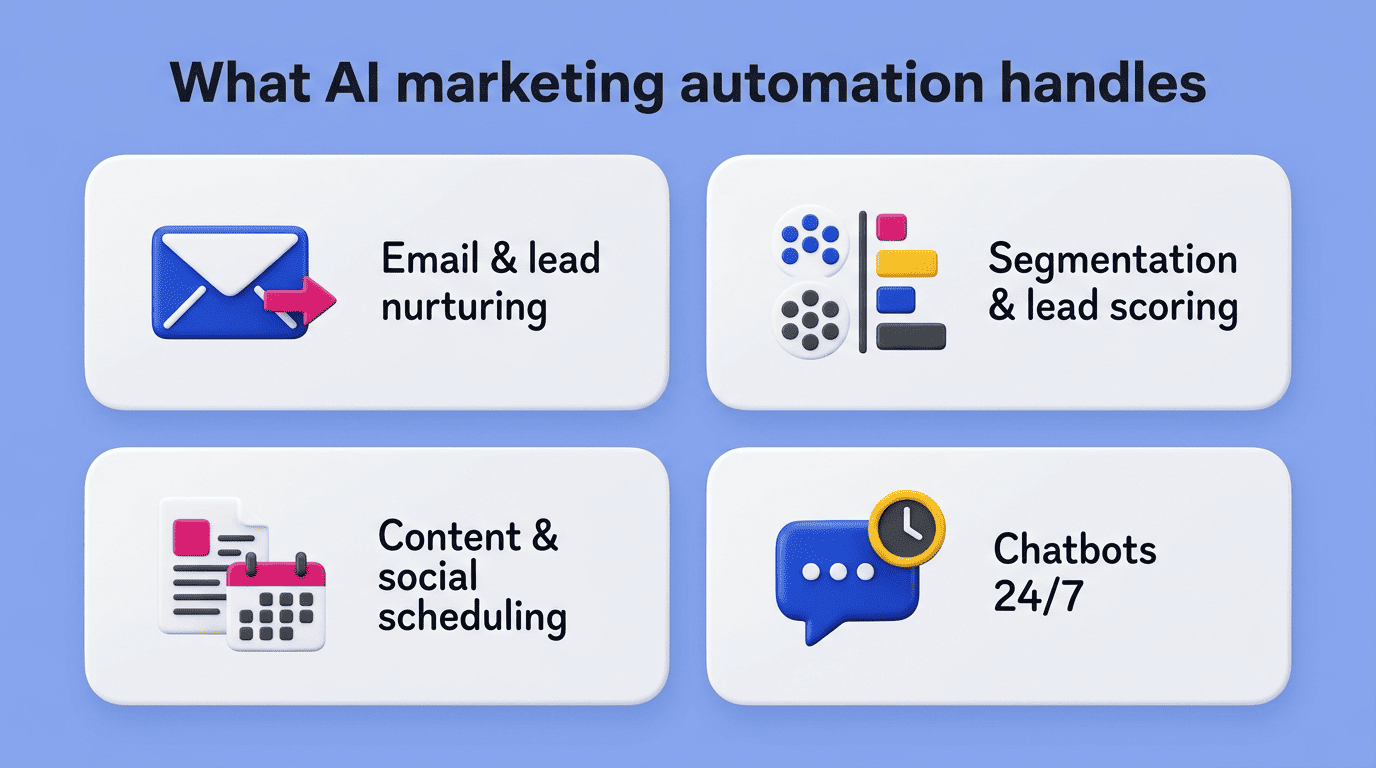
AI marketing automation tools now cover most of the repetitive work inside a marketing calendar, from the first welcome email to the monthly social calendar. The list below groups the tasks most small businesses hand off first.
- Email and lead nurturing sequences
- Audience segmentation and lead scoring
- Content generation and social media scheduling
- Chatbot-driven customer engagement and lead qualification
Email and lead nurturing
Trigger-based drip campaigns, welcome series, and abandoned-cart flows run automatically once they are set up, and AI adds a layer on top: it writes and A/B-tests subject lines and picks the best send time for each contact. Tools built for email marketing automation in this space include Mailchimp, Klaviyo, ActiveCampaign, Brevo, and HubSpot.
Audience segmentation and lead scoring
Instead of a marketer manually sorting contacts into lists, AI-based customer segmentation groups people by actual behavior, and lead scoring predicts how likely each one is to convert. Salesforce’s Einstein AI scores leads by matching them against the profile of contacts that previously converted, which lets a small sales team spend time on the contacts most likely to close rather than working every lead equally — real-world usage data shows top-scored leads converting at markedly higher rates than low-scored ones.
Content generation and social scheduling
Generative tools now draft first versions of copy, posts, and images in minutes rather than hours. ChatGPT and Jasper handle first-draft copywriting, while platforms like Sprout Social and Buffer schedule and publish across channels on autopilot. These two tasks alone account for a large share of the roughly 13 hours a week small businesses report saving overall once AI handles first drafts and scheduling instead of a person doing both by hand.
Chatbots and customer engagement
AI chatbots answer common questions and qualify leads around the clock, without a person on the other end. Gartner projects that by 2027, chatbots will be the primary customer service channel for about 25% of companies — a shift already underway among small businesses that cannot staff live chat during every hour a customer might visit the site.
AI Marketing Automation Examples for Small Business
Seeing how these pieces combine in practice makes the abstract capabilities concrete.
Real-world scenarios
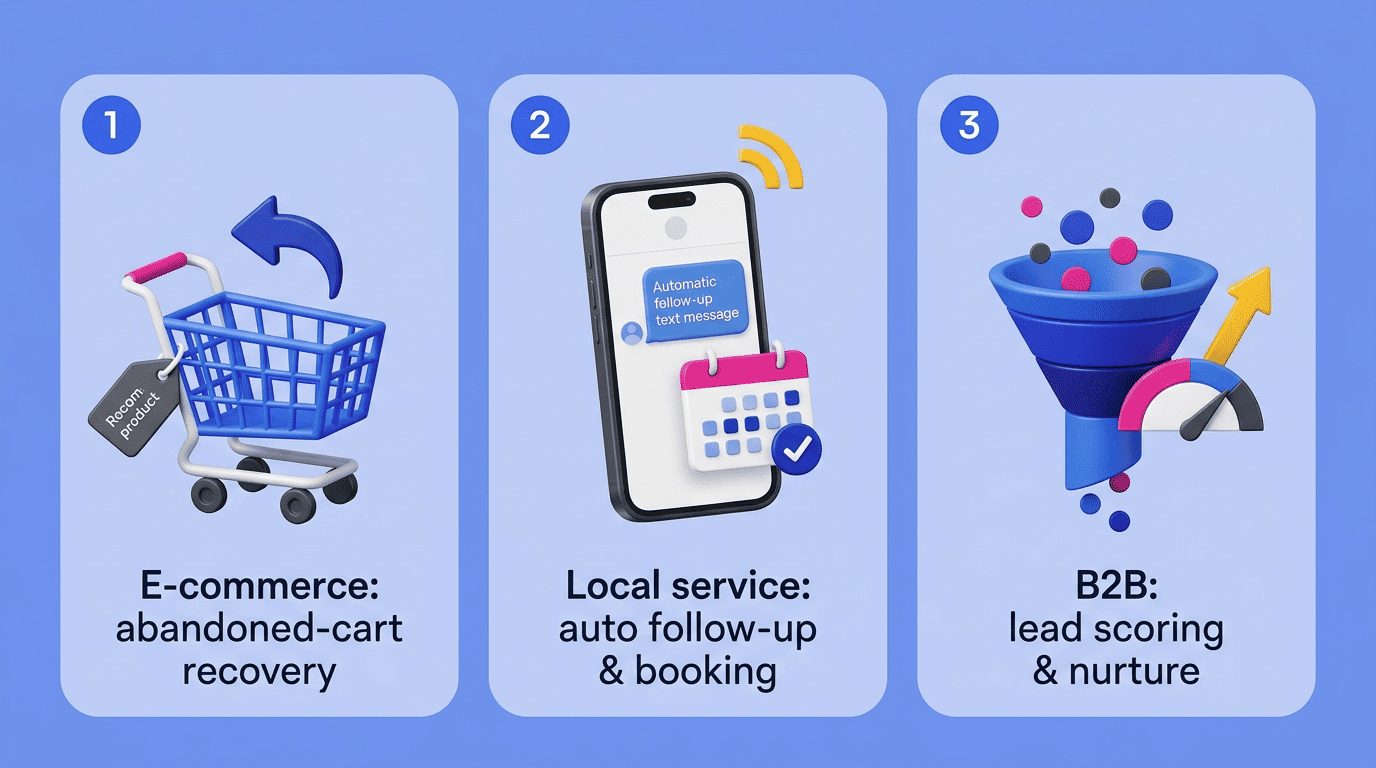
The exact mix of tasks depends on the business model, but three patterns cover most small businesses:
- E-commerce: abandoned-cart email paired with AI-generated product recommendations based on browsing history
- Local service (salon, contractor, clinic): automated follow-up texts and booking reminders so no lead goes cold waiting on a callback
- B2B: lead scoring plus a multi-step nurture sequence so sales only spends time on prospects who have shown real buying signals
At scale, AI-driven personalization has produced measurable results for large brands — The North Face’s IBM Watson-powered shopping assistant lifted click-through rates by 60% by asking customers a few questions and recommending the right product instead of making them scroll a full catalog — and the same underlying mechanics apply to a much smaller list, even if the absolute gains vary with traffic and data volume.
Best AI Marketing Automation Tools and Pricing
Picking the right AI marketing automation platform for small business use comes down to what you need first: one all-in-one system, or a set of specialized tools connected together.
| Tool | Best for | Starting price |
|---|---|---|
| HubSpot | All-in-one CRM + email automation | Free CRM; Starter from $20/seat/month (annual) |
| Mailchimp | Email marketing for small lists | Free up to 250 contacts |
| Klaviyo | E-commerce email/SMS (Shopify, WooCommerce) | Free up to 250 contacts, paid plans scale from there |
| ActiveCampaign | Visual workflow builder | From roughly $15/month |
| Brevo | Pay-per-send email automation | Free up to 300 emails/day |
| Jasper | AI copywriting and content generation | From $59/month per seat (annual) |
| Zapier | Connecting 8,000+ apps into workflows | From roughly $20/month |
| Sprout Social | Social scheduling and analytics | From roughly $79/seat/month (annual) |
All-in-one platforms
HubSpot pairs a free CRM with Marketing Hub automation, making it a common starting point for small teams that want email, forms, and contact management under one login; the paid Starter tier begins around $20 a seat per month on an annual plan (HubSpot periodically runs lower promotional intro pricing).
Email and e-commerce automation
Mailchimp stays free for up to 250 contacts, which makes it a low-risk entry point, though its free tier shrank in early 2026 and paid plans now start once a list grows past that. Klaviyo offers a comparable free tier up to 250 contacts and integrates deeply with Shopify and WooCommerce, which suits product-based businesses. ActiveCampaign is known for a strong visual workflow builder for multi-step sequences, while Brevo charges per email sent rather than per contact stored.
Content, social and connectors
Jasper focuses on AI copywriting starting at $59 a month per seat (billed annually), useful for teams producing a high volume of ad and email copy. Sprout Social handles scheduling and reporting across social channels from roughly $79 a seat per month on an annual plan (about $99 billed monthly). Zapier connects marketing automation to more than 8,000 apps into one workflow, starting around $20 a month, which is often what stitches a small business’s separate tools into a single automated system.
Budget tiers for SMBs
Most small businesses land in one of three spending tiers, depending on how many channels are automated and whether predictive analytics is included.
| Tier | Monthly spend | Typical coverage |
|---|---|---|
| Starter | $100-300 | One or two core tools, usually email plus a CRM |
| Growing | $300-800 | Email, CRM, and content or social tools added |
| Advanced | $800+ | Multiple channels with predictive analytics layered on top |
A DIY stack combining email, social, copywriting, and design tools typically runs $150-500 a month for a small team.
ROI: Time and Cost Savings
The financial case for AI marketing automation rests on two numbers: what it returns, and how long it takes to pay for itself.
By 2027, chatbots will become the primary customer service channel for roughly a quarter of organizations.
Uma Challa, Gartner
The numbers
The headline figures worth tracking before and after adoption:
- Average ROI of $5.44 for every $1 spent on marketing automation, per Nucleus Research
- Roughly 13 hours a week saved on manual marketing tasks, per a 2025 ActiveCampaign/Talker Research survey
- Meaningfully higher impact from AI use cases when they’re paired with real workflow redesign rather than bolted onto existing processes
- Payback timelines vary by platform and business, so treat any single «months to break even» figure as a rough planning estimate rather than a guarantee
McKinsey’s research on generative AI use cases consistently finds that companies pairing AI with real workflow redesign see meaningfully better outcomes than those that simply bolt AI onto existing processes — a distinction that matters more for a small team than for an enterprise, since there is no separate department to redesign the workflow for you. Companies that automate consistently also report faster revenue growth than those that do not, though the exact multiple varies by study and industry.
A worked example
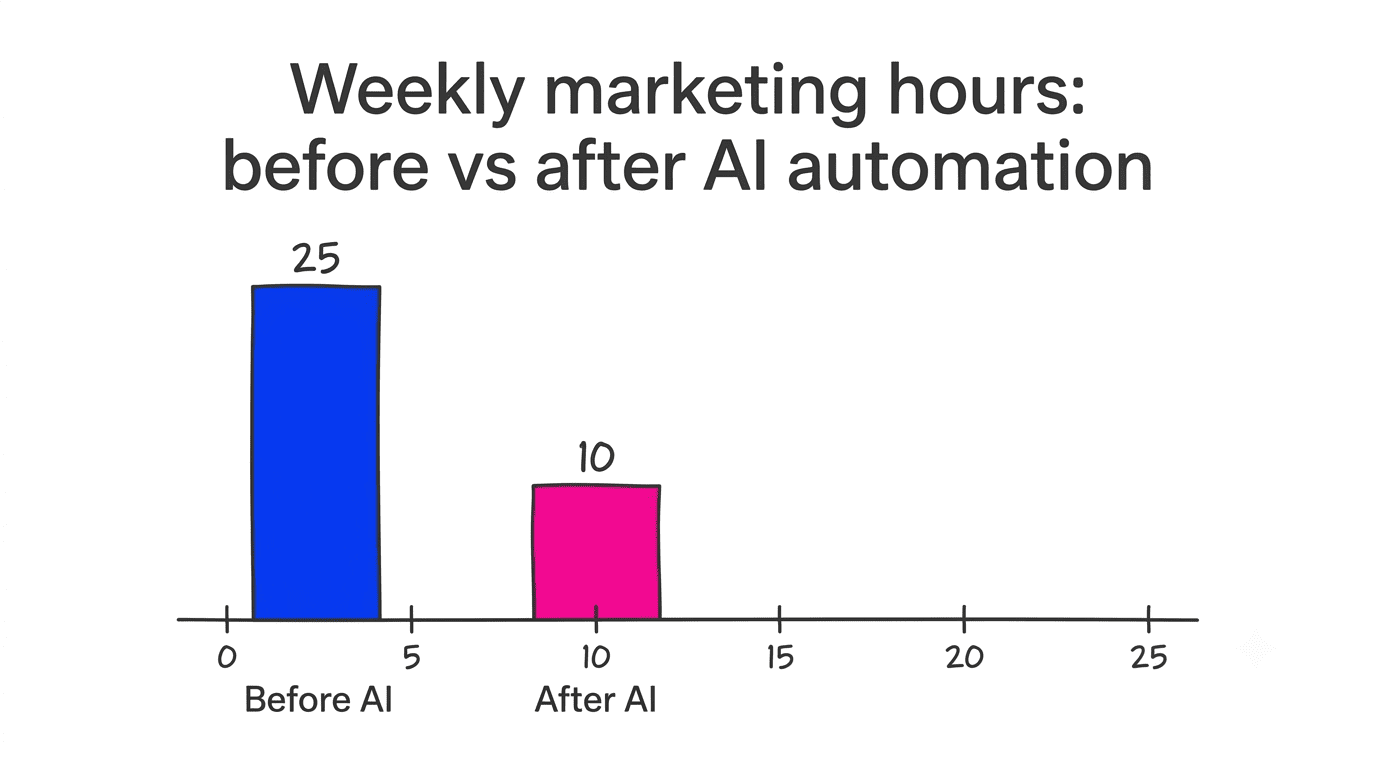
Consider a small business spending 25 hours a week on manual marketing tasks at an effective cost of $25 an hour — roughly $625 a week, or about $2,700 a month. An AI marketing automation platform costing $400 a month that eliminates 15 of those hours frees up roughly $1,500 in labor cost while adding a fixed $400 expense, netting close to $1,100 a month in savings. These figures are illustrative: actual results vary by industry, data quality, and how much of the workflow is automated, so treat any ROI projection as a planning estimate rather than a guarantee.
How to Get Started with AI Marketing Automation
Rolling out AI marketing automation works best as a narrow, staged process rather than switching every channel over at once.
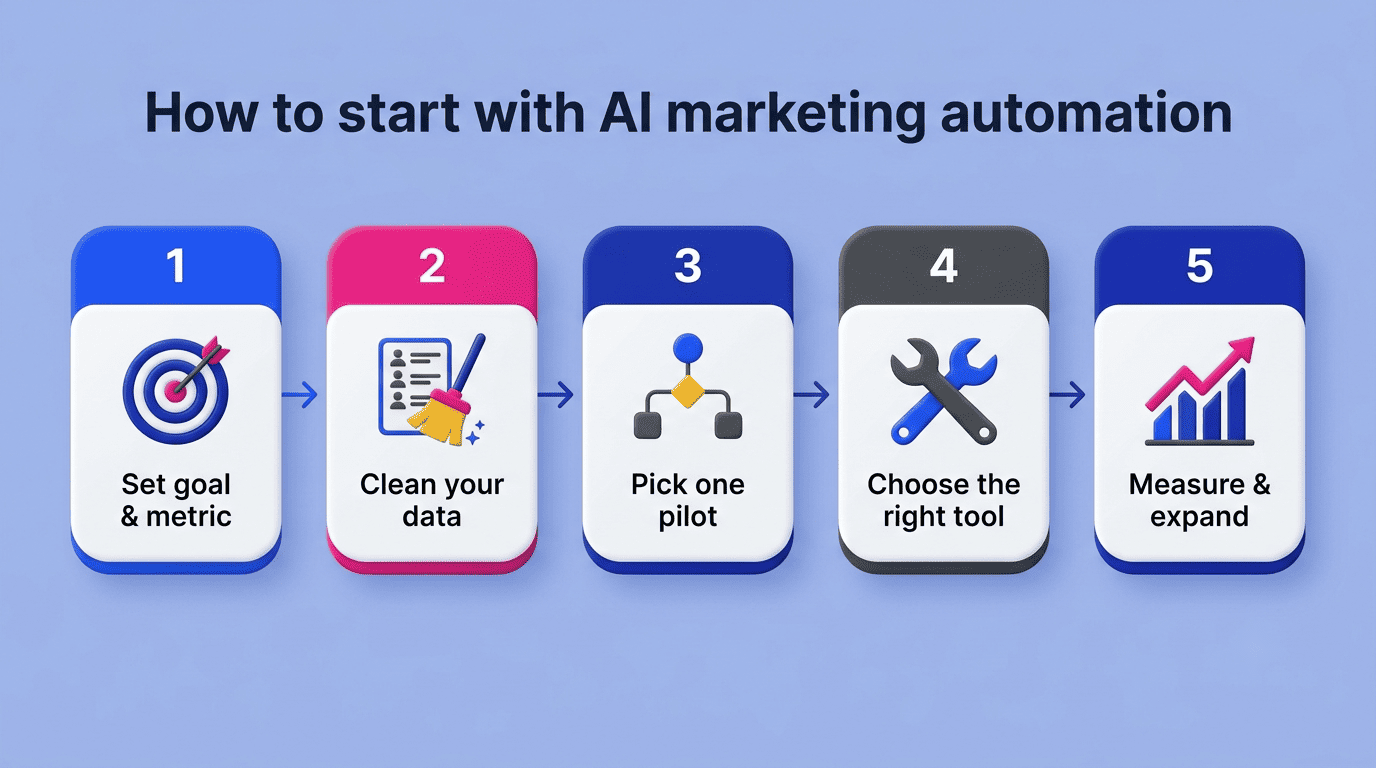
A 5-step rollout
- Define your goal and metric. Decide upfront whether you are optimizing for time saved, revenue, or response rate — the tool and setup will differ depending on the target.
- Clean up your data and CRM. AI segmentation and lead scoring are only as accurate as the customer data feeding them, so deduplicate and standardize contact records first.
- Pick one pilot task. Choose a single workflow — usually email or a chatbot — rather than automating every channel simultaneously.
- Choose the right tool for that task. Match the platform to the job: an email-heavy business should not start with a social-scheduling tool, and vice versa.
- Measure, adjust, and expand. Track results against the goal from step one, tune the workflow, and only then add a second automated channel.
Common pitfalls to avoid
- Feeding automation tools with messy, duplicate, or outdated CRM data, which produces bad segments from the start
- Automating a workflow without a clear goal or success metric attached to it
- Over-automating every touchpoint until customer interactions feel impersonal
- Publishing AI-generated content or replies without a human review step
Manual, repetitive marketing tasks (data entry, list segmentation, scheduling) are consistently more error-prone than a well-configured automated workflow — but that gap only holds if AI output is checked before it reaches a customer, not treated as unsupervised.
FAQ
Most of the tasks above work best when they are connected rather than run as separate tools, which is the core idea behind automate your marketing with AI as a single, coordinated system instead of a patchwork of disconnected apps.